
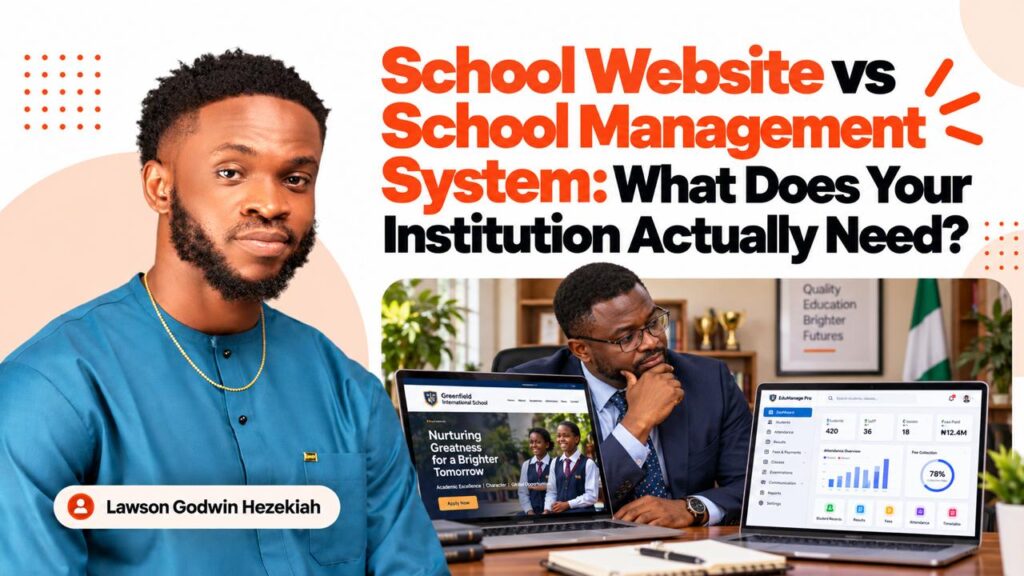
By Lawson Godwin Hezekiah — Web Developer, Technology Entrepreneur and Founder of Mita School
One mistake I believe school proprietors and administrators should avoid is investing in technology without first understanding the problem they want it to solve.
I have seen how easy it is for terms such as school website, student portal, school management system, online admission portal and learning management system to become mixed up during discussions about educational technology.
A school proprietor might approach a website developer and request a school management system when what the institution actually needs is a professional website with an online admission form.
Another school might request a website when its real challenge is managing student records, attendance, fees, academic results and administrative activities.
These are different problems, and they require different solutions.
I am Lawson Godwin Hezekiah, a Nigerian website developer, technology entrepreneur and founder of Mita School, a technology training institution based in Uyo, Akwa Ibom State.
I have years of experience developing websites and working on digital projects for different organizations, including educational institutions such as the Nigerian Christian Institute (NCI).
As someone who operates a school, I have also had to think about the practical role technology plays in student registration, communication, administration and educational delivery.
One of the lessons I have learned is that a school’s digital needs are not determined by how many features a developer can build, but by the institution’s actual operations.
In this article, I will explain the differences between a school website, school management system, admission portal, student portal and learning management system.
I will also help you understand which solution your institution may need, how these systems can work together and what to consider before investing in their development.
What Is a School Website?
A school website is the institution’s official online presence.
Its primary purpose is to provide information, establish credibility, communicate with visitors and help prospective students or parents learn about the institution.
For example, when someone searches Google for a private school, nursing college or university in Nigeria, the institution’s website may be one of the first places they visit.
They may want to know:
- Where is the school located?
- Which courses or programmes does it offer?
- Is the institution properly approved or accredited where applicable?
- What are the admission requirements?
- How much are the relevant fees?
- What facilities does the school have?
- How can I contact the administration?
- How do I apply for admission?
A professional school website should help visitors find answers to these questions.
Common Features of a School Website
Depending on the institution, a website may include:
- Homepage.
- About the school.
- Academic programmes or classes.
- Admission information.
- Staff or faculty profiles.
- Facilities and photo galleries.
- Accreditation and approval details.
- News and announcements.
- Events and academic calendars.
- Contact forms.
- Frequently asked questions.
- Online application links.
The website may also contain additional functionality, such as appointment booking, downloadable prospectuses or simple admission forms.
However, that does not automatically make it a complete school management system.
The main role of a school website is to connect the institution with the public and provide access to useful information and services.
An Example From My Website Development Experience
One of my previous educational website projects was for the Nigerian Christian Institute (NCI) in Uyo, Akwa Ibom State.
The project involved creating a responsive institutional website with organized information about the school, dedicated pages for different educational units, intuitive navigation and online admission and nomination forms.
You can explore the project through my Nigerian Christian Institute website development portfolio.
The important point is that the website was developed around the institution’s need to present information and provide useful online interactions.
A school management system would involve a different set of requirements.
For example, managing daily student attendance, fee balances, academic results and staff administrative permissions would require additional software functionality.
This is why I believe school proprietors should understand the distinction before requesting development quotations.
What Is a School Management System?
A school management system is software designed to help an educational institution organize and manage its internal operations.
Unlike a conventional public website, it usually includes restricted accounts for authorized administrators, staff, teachers, students or parents.
The system helps the institution work with operational records and processes rather than simply publish information.
For example, a private secondary school may need to manage:
- Student registration and records.
- Class assignments.
- Academic sessions and terms.
- Attendance.
- School fees and balances.
- Academic assessments and results.
- Staff information.
- Parent communication.
- Timetables.
- Administrative reports.
A school management system can bring some or all of these activities into a structured digital environment.
Different vendors may call such software a school administration system, school ERP or school management platform.
A Student Information System (SIS) often focuses more specifically on student records, enrolment, academic information and related administrative data.
The names and features can overlap, so institutions should compare actual functionality rather than depend entirely on product labels.
How a School Management System Works
Imagine a school with 400 students.
Without a centralized system, the institution might keep attendance in physical registers, student information in spreadsheets, fee records in separate files and academic results in another application.
This can become difficult to coordinate.
A properly configured school management system may allow authorized staff to access relevant information through different dashboards.
For example:
School administrator: Oversees student records, academic sessions and approved operational reports.
Teacher: Records attendance, assessments or results for assigned classes.
Bursar or finance officer: Manages authorized student fee records and payment reconciliation.
Student: Accesses permitted personal or academic information.
Parent: Views information the institution has approved for parental access.
The purpose is to make important operational information easier to organize, access and manage.
However, the system must reflect the school’s actual policies and workflows.
Simply purchasing software does not automatically improve administration if staff responsibilities and records are poorly organized.
School Website vs School Management System: The Main Differences
The easiest way to understand the distinction is to compare their purposes.
| Feature | School Website | School Management System |
|---|---|---|
| Main purpose | Public information, communication and enquiries | Internal administration and records |
| Primary users | Visitors, parents, applicants and the public | Staff, administrators, teachers, students |
| Public access | Primarily public | Primarily restricted |
| Programme information | Common | May be included |
| News and announcements | Common | May support internal announcements |
| Student records | Usually not a core feature | Common |
| Attendance management | Not normally included | Common |
| Fee tracking | May display fee information | May manage individual fee records |
| Academic results | Not normally included | May manage results |
| Staff dashboards | Usually limited to content management | Role-specific operational dashboards |
| SEO visibility | Important | Usually not relevant to private records |
| Maintenance | Website, content and hosting support | Software, databases, security and operational support |
These are common differences, not absolute rules.
A school website can contain restricted services, and some management platforms include a public-facing website module.
The important distinction is what the system is primarily designed to accomplish.
What Is an Online School Admission Portal?
An online admission portal is designed to help an institution manage applications from prospective students.
It is often the bridge between the public website and the school’s internal administrative systems.
For example, a prospective student might visit the institution’s website, learn about an academic programme and click an Apply Now button.
The applicant could then be directed to an online portal to complete the application.
Depending on the system, the applicant may:
- Create an application account.
- Choose an academic programme.
- Complete the required forms.
- Upload relevant documents.
- Pay an authorized application fee, where applicable.
- Receive an application reference.
- Check approved application updates.
On the administrative side, staff may review applications, verify documents, reconcile payments and communicate decisions.
An admission portal manages the application process; a school management system generally handles a broader range of institutional operations.
The two can be connected.
For example, when an applicant has completed all required admission procedures and is formally enrolled, authorized information can be transferred into the institution’s student records system.
That transfer should be controlled and validated rather than automatically treating every applicant as an admitted student.
For nursing schools and colleges of health technology, additional regulatory and institutional requirements may apply.
An internal application system should not be confused with official admission or student indexing processes required by relevant authorities.
I have covered admission portal planning in greater detail in my separate guide, How to Build an Online Admission Portal for a Nursing School in Nigeria.
What Is a Student Portal?
A student portal is a secure online area where enrolled students can access approved information and services.
It may be a component of a larger school management system, or it may be developed as a separate application.
Depending on the institution, a student portal can allow students to:
- View their profiles.
- Update permitted personal information.
- Access timetables.
- View fee records.
- Receive institutional notices.
- Access academic results.
- Download approved documents.
- Submit administrative requests.
- Access relevant learning resources.
The key difference is that a student portal is usually designed around the student’s individual experience.
For example, a student should be able to sign in and see information relevant to their own account.
However, a school management system may also include staff dashboards, finance modules, administrative reports and other tools students never see.
What I Have Learned From Building Student-Facing Systems
At Mita School, we have been developing digital experiences around student profiles, projects and other student-facing services.
One example is the Mita School Student Innovation Lab, where student and alumni projects can be organized and showcased.
That initiative is not a replacement for a complete school management platform.
However, working on student-facing digital experiences has reinforced the importance of defining what users should be allowed to do.
For example, a student may need permission to edit specific profile information without having access to another student’s records or the school’s administrative settings.
The system should also be easy to navigate.
A student portal is only useful when students can accomplish their intended tasks without unnecessary confusion.
What Is a Learning Management System (LMS)?
A Learning Management System, commonly called an LMS, is software used to support teaching, course delivery and learning activities.
This is another system that school administrators sometimes confuse with a student portal or school management platform.
A learning management system may provide:
- Course materials.
- Recorded lessons.
- Live class information.
- Assignments.
- Quizzes and assessments.
- Learning progress tracking.
- Tutor feedback.
- Course announcements.
- Learning completion records.
Common LMS platforms include Moodle, Canvas and other systems designed to support educational delivery.
Some educational institutions also use WordPress-based learning platforms.
However, the best LMS depends on the institution’s teaching model, assessment requirements, technical resources and long-term support capacity.
LMS vs School Management System
Consider this example.
A school uses an LMS to deliver a lesson, collect an assignment and provide feedback.
The same institution uses its school management system to maintain the student’s official enrolment record, fee account, class assignment and other administrative information.
Although both platforms may contain student data, they serve different primary purposes.
Some software products combine LMS, student information and school management features.
That does not eliminate the need to define what each module must do.
For nursing colleges, practical training and clinical education requirements may also mean that some activities cannot be adequately managed through an ordinary online learning platform alone.
Can a School Have a Website, Admission Portal, LMS and Management System Together?
Yes.
In fact, some institutions need several connected systems.
The key is not to build everything separately without a plan.
Consider a hypothetical college of nursing sciences.
A prospective applicant first visits the school’s public website.
They read about the approved programmes, admission requirements and institutional facilities.
When applications open, they proceed to the admission portal.
After completing the authorized admission process and becoming an enrolled student, they may receive access to student services.
During their programme, they may use a learning management system for permitted educational resources and assessments.
Meanwhile, authorized staff use the school’s management platform to maintain administrative and academic records.
These activities can form a connected digital environment.
How the Systems Can Work Together
| System | Main activity |
|---|---|
| Public website | Helps people discover the school and obtain information |
| Admission portal | Handles applications and related administrative processes |
| Student portal | Provides enrolled students with approved personal services |
| Learning management system | Supports teaching and learning |
| School management system | Supports institutional administration and records |
The institution may implement these functions within one integrated platform or through several connected applications.
Both approaches can work.
However, they involve different technical and operational considerations.
Which System Does Your School Actually Need?
This is the question I would encourage every school proprietor to answer before committing money to a technology project.
Let’s consider several practical scenarios.
Scenario 1: A New Private School Needs More Visibility
Imagine a new nursery and primary school in Uyo.
The school has classrooms, teachers and an administrative office, but little online presence.
Parents frequently ask for the school’s address, fees, curriculum and admission information.
The immediate requirement is likely a professional school website.
The institution may benefit from a homepage, About page, class information, photographs, admission enquiries and reliable contact channels.
A complete management platform may be useful later, but it may not be the school’s most urgent investment.
Scenario 2: A Secondary School Struggles With Student Records
Consider a secondary school with several hundred students.
The institution already has a functioning website.
However, staff manage attendance, academic results and fee balances through disconnected files.
In this situation, redesigning the public website may not solve the main problem.
The school may need a student information or school management system.
Before development, management should identify the records that need to be centralized, the staff responsible for updating them and the reports required.
Scenario 3: A Nursing College Wants Online Admissions
Imagine a college of nursing sciences that already has a professional public website.
The institution wants applicants to submit forms, upload documents, make authorized payments and track application progress online.
The immediate requirement is likely an admission portal.
The institution does not necessarily need to replace its entire website or commission a comprehensive school management system.
The portal can be planned around the institution’s approved admission procedures and connected to existing systems where appropriate.
Scenario 4: A Training Academy Wants to Deliver Online Courses
Consider a professional training institution that plans to provide recorded lessons, quizzes, assignments and tutor feedback.
Its primary additional need may be a learning management system.
It may still require a website for programme information and enrolment, but the learning platform should be designed around course delivery and student engagement.
Scenario 5: A Growing Institution Wants to Digitize Several Departments
Now imagine a school with multiple campuses, a large student population and separate departments responsible for admissions, academics, finance and administration.
The institution may require an integrated management platform with appropriate modules and permissions.
In that situation, a larger software project may be justified.
But I would still recommend beginning with an operational assessment before choosing the technology.
Seven Questions I Would Ask Before Recommending a System
As a developer and school founder, these are some of the questions I consider important during a school technology consultation.
1. What Problem Are We Trying to Solve?
Is the challenge attracting students, processing applications, delivering lessons or organizing internal records?
Be specific.
2. Who Will Use the System?
Identify the actual users: parents, prospective applicants, enrolled students, teachers, finance officers, administrators or management.
Their needs may be different.
3. What Processes Are Currently Used?
Are records kept on paper, spreadsheets or existing software?
Which processes work well, and which ones cause repeated difficulties?
4. What Features Are Essential Right Now?
Separate essential functionality from attractive but unnecessary additions.
A feature should be included because it supports a real need.
5. Who Will Be Responsible for Operating the System?
Software requires people to manage information, review records, respond to requests and maintain accuracy.
If responsibilities are unclear, even a technically sound platform can become difficult to manage.
6. What Budget Can the Institution Sustain?
Consider development costs as well as hosting, maintenance, training, renewals and possible third-party subscriptions.
The system should remain financially manageable after launch.
7. What Will the Institution Need in the Future?
Will the school introduce new programmes, expand into additional campuses or integrate other systems?
The initial architecture should accommodate reasonable growth without forcing unnecessary complexity from the beginning.
Should You Build a Custom System or Buy Existing School Management Software?
Not every institution needs custom software.
This is one of the decisions I would want school administrators to examine carefully.
Using Existing Software
There are ready-made platforms that provide school management, student information or learning management features.
Depending on the provider, these may be offered through subscriptions, licences or managed services.
Possible advantages include:
- Faster initial deployment.
- Existing functionality.
- Established user interfaces.
- Vendor-provided updates.
- Lower initial development requirements in some cases.
However, the institution should evaluate limitations.
For example, can the software support its admission process, academic structure, fee arrangements and reporting requirements?
Will the school be able to export its data?
What happens if subscription prices increase or the provider stops supporting the product?
Developing a Custom System
A custom-built platform can be designed around the institution’s particular workflows.
This may be useful when the school has requirements that existing products cannot adequately support.
Possible advantages include greater control over functionality, integrations and the user experience.
However, custom software also introduces responsibilities.
The institution must consider development time, quality assurance, documentation, technical maintenance, security and long-term support.
Custom software is not automatically better than existing software.
Likewise, cheaper upfront software is not necessarily the least expensive option over several years.
I would recommend comparing both approaches against clearly documented requirements.
Can WordPress Be Used for a School Management System?
WordPress is a popular content management system and can be an appropriate foundation for many school websites.
It can also support additional functionality through plugins and custom development.
However, an institution should distinguish what WordPress can technically support from what is appropriate for a particular project.
A conventional school website with pages, announcements, contact forms and programme information can often be managed effectively with WordPress.
A complex system involving sensitive student records, advanced financial workflows, granular permissions and extensive academic data requires more careful architectural planning.
In some cases, WordPress may still be part of the solution.
For example, the public website could run on WordPress while a separate application handles student administration.
This is sometimes a practical approach because public content management and sensitive administrative workflows have different priorities.
At Mita School, experience working with WordPress and customized student-facing functionality has reinforced the importance of selecting tools based on the actual user journey.
I believe institutions should avoid forcing every feature into a single plugin simply because it appears convenient.
The priority should be maintainability, security, reliable performance and suitability for the intended use.
Why Integration Matters When Using Multiple Systems
One problem institutions may face is having several digital tools that cannot exchange information.
For example, an admissions officer may enter applicant information into one platform.
After admission, another staff member may need to manually enter the same information into a separate student records system.
The finance department may maintain an entirely different set of records.
This duplication can introduce errors and unnecessary work.
When developing connected systems, I recommend planning how appropriate information will move between them.
Important considerations include:
- Consistent student identification.
- Authorized data transfer.
- Appropriate system permissions.
- Secure application interfaces.
- Data validation.
- Error handling.
- Audit records.
- Recovery procedures.
Not every system requires real-time integration.
In some cases, controlled imports and exports may be sufficient.
But the institution should understand how data will be managed before committing to a particular architecture.
What About Security and Student Data Protection?
School management systems may contain more sensitive information than an ordinary public-facing website.
Depending on their functionality, they can hold student names, contact information, academic records, attendance, payment information and other personal data.
In Nigeria, the Nigeria Data Protection Act, 2023 provides an important legal framework for personal data processing.
The Nigeria Data Protection Commission (NDPC) provides official information and regulatory guidance.
Before implementing any student management platform, institutions should consider:
- Why personal information is being collected.
- Who is authorized to access it.
- How accounts are authenticated.
- How information is stored and protected.
- How long records should be retained.
- How backups and restoration are managed.
- Whether external providers process the school’s information.
- How student and parent rights are handled where applicable.
One principle I strongly recommend is role-based access control.
A school bursar may need access to financial records without access to all academic or personal information.
A tutor may need to record assessments without permission to alter institutional financial settings.
Students should only see information they are authorized to access.
For institutions that handle children’s personal data, additional safeguards and legal considerations may apply.
Security should be addressed from the planning stage, not after the system has gone live.
How Much Does a School Website or Management System Cost in Nigeria?
The cost depends on what is being developed.
A professional informational website may require considerably less work than a complete institutional management platform.
A basic admission form may also be substantially less complex than a full admission portal.
When preparing a budget, I would divide the project into several possible components:
| Component | Main cost drivers |
|---|---|
| School website | Design, pages, content, responsiveness, SEO |
| Admission portal | Applicant accounts, forms, uploads, payments, review workflows |
| Student portal | Authentication, personalized information, integrations |
| LMS | Courses, resources, assignments, assessments, learner tracking |
| Management system | Student records, academic modules, finance, roles, reporting |
| Ongoing support | Hosting, backups, security, maintenance, subscriptions |
An important distinction is that some systems are priced as one-time development projects, while others are licensed or billed through recurring subscriptions.
An institution should request an itemized quotation showing initial expenses and recurring costs.
I have discussed school website and portal budgeting in greater detail in my article How Much Does a Nursing School Website Cost in Nigeria?
For other school categories, the actual budget should reflect their different operational requirements.
Why I Recommend Building Educational Systems in Phases
I believe a phased approach is sensible for many growing institutions.
Rather than trying to build every digital feature at once, the school can prioritize the most valuable problems.
For example:
Phase One: Establish a Reliable Public Website
Develop or upgrade the official website, programme information, admissions guidance, contact channels and other essential public content.
Phase Two: Digitize the Most Important Administrative Process
This might involve online admissions, fee tracking or student registration, depending on the institution’s main challenge.
Phase Three: Introduce Additional Student and Staff Services
Develop the appropriate dashboards, academic tools, learning systems or management modules.
Phase Four: Integrate and Improve
Connect relevant systems, strengthen reporting, train staff and improve processes based on actual usage.
This is not a universal sequence.
For example, a school that already has a reliable website but struggles with internal student records may need to begin with its management system.
The order should depend on the institution’s priorities, not on which software product is most fashionable.
My Experience as a Developer and School Founder
One of the most valuable lessons I have learned from operating Mita School is that technology works best when it supports clear institutional processes.
A school does not operate only through its website.
There are enquiries to respond to, registrations to manage, students to support, staff responsibilities to coordinate and information to keep accurate.
Some of these activities are visible to prospective students.
Others happen behind the scenes.
As a developer, I can look at a website and think about navigation, hosting, performance and software architecture.
As a school founder, I also think about who will use a particular feature, whether it is easy to manage and how it fits into daily operations.
Those perspectives influence the questions I ask when planning educational systems.
My work on the Nigerian Christian Institute website involved providing an institutional online presence with structured information and forms.
At Mita School, we have also been working on student-facing digital services and practical technology projects.
These experiences reinforce an important distinction: a public website, a student platform and an internal administrative system can support the same institution without performing identical functions.
I would not recommend that every school immediately build a large management platform.
Instead, I would begin by identifying which problem needs attention and what the institution can realistically maintain.
Common Mistakes Schools Should Avoid When Investing in Digital Systems
Mistake 1: Buying Software Without Understanding the Requirements
A school may subscribe to an elaborate platform simply because it has dozens of features.
However, many of those features may not apply to its operations.
Begin with requirements, not product demonstrations.
Mistake 2: Assuming a Website Can Automatically Manage Everything
An informational website does not automatically provide attendance tracking, fee management or secure student records.
Those capabilities require additional functionality.
Mistake 3: Assuming Every System Must Be Custom-Built
Existing software may adequately meet the school’s needs.
Custom development should be justified by operational requirements, integration needs or other meaningful constraints.
Mistake 4: Ignoring Staff Training
A system is unlikely to deliver its intended value if the people responsible for using it do not understand their tasks.
Training and accountability should be part of the implementation plan.
Mistake 5: Neglecting Data Security
Student records, applicant documents and financial information must be protected.
A system should include appropriate authentication, access controls, backups and maintenance.
Mistake 6: Failing to Plan for Recurring Costs
Hosting, software subscriptions, technical support, renewals and additional services may create ongoing expenses.
The school should understand the total cost of ownership.
Mistake 7: Developing Disconnected Systems Without a Plan
Multiple applications can become difficult to manage when staff must repeatedly enter the same information.
Consider integration and data governance from the beginning.
Frequently Asked Questions
What is the difference between a school website and a school management system?
A school website primarily provides public information, supports communication and helps prospective students or parents learn about the institution.
A school management system supports internal operations such as student records, attendance, fee management, academic administration and reporting.
Some platforms combine both.
Does every school need a school management system?
Not necessarily.
The need depends on the institution’s size, operational complexity and existing processes.
A small school may begin with a reliable website and structured administrative tools.
A larger institution may benefit from a centralized management platform.
Can a school website include a student portal?
Yes.
A public website can provide access to a secure student portal.
The portal may be integrated into the same platform or operated as a separate connected system.
Is an online admission portal the same as a school management system?
No.
An admission portal primarily manages applications and related processes.
A school management system usually covers a broader range of institutional operations.
An admission portal can be one component of a larger management platform.
What is the difference between an LMS and a school management system?
An LMS primarily supports teaching, course materials, assignments, assessments and learning activities.
A school management system primarily supports institutional administration, student records, fees, attendance and other operational processes.
Some products offer overlapping functionality.
Can WordPress be used to build a school portal?
Yes, depending on the required functionality and system architecture.
WordPress can support certain school portals and custom applications, but complex administrative systems should be assessed carefully for security, performance and maintainability.
Can a school use different software for its website and management system?
Yes.
The public website, admission portal, LMS and student records system can be separate applications.
Where necessary, they may be connected through secure and appropriately managed integrations.
How much does it cost to build a school management system in Nigeria?
The price depends on the modules required, number of users, integrations, complexity, hosting, security requirements and whether the system is custom-developed or subscription-based.
An institution should request a detailed proposal based on documented requirements rather than assume every school management platform costs the same amount.
Should a new school build a website or management system first?
The decision depends on its immediate needs.
If the main priority is establishing credibility, communicating with parents and attracting prospective students, a professional website may be the logical starting point.
If the school already has a suitable public website but struggles to manage internal records, a management system may be the higher priority.
Final Thoughts: Invest in the Right System, Not Just More Technology
A school website, admission portal, student portal, learning management system and school management platform can all be valuable.
But they solve different problems.
Some institutions may need only one or two of these systems.
Others may require an integrated digital environment.
From my experience as a website developer and founder of an educational institution, I believe the right starting point is understanding the school’s actual operations.
What information do prospective students need?
What administrative tasks are taking too much time?
What records must be organized?
Which staff members will operate the platform?
What can the institution afford to maintain?
Answering these questions will help school management make more informed decisions about technology.
Your institution does not necessarily need the biggest or most expensive system. It needs technology that solves the right problems and can be managed effectively over time.
Need a School Website, Student Portal or School Management System in Nigeria?
My name is Lawson Godwin Hezekiah, a Nigerian web developer, technology entrepreneur and founder of Mita School.
I am also the founder of Techmita Limited, where I work on website development and related digital solutions for organizations.
My experience includes developing educational websites, including the Nigerian Christian Institute website project, and working on digital services within my own educational institution.
If you own or manage a nursery school, primary school, secondary school, nursing college, university, polytechnic, professional training centre or another educational institution, I would be glad to discuss your digital requirements.
Whether you’re planning a new website, considering an admission portal, evaluating a student management system or upgrading an existing platform, I can help you examine your requirements and determine an appropriate development approach.
You don’t need to have all the technical details figured out before reaching out. We can begin by discussing what your institution wants to accomplish.
Four Ways to Contact Me
1. WhatsApp — Preferred Contact Method
Send me a WhatsApp message on +234 703 7997 791.
Introduce your school, explain the challenges you’re trying to solve and share any existing website or system details.
2. Website Contact Form
Visit my contact page to submit a website development or digital systems enquiry.
Include your institution’s name, type of project and the features you believe you need.
3. Email
For formal project proposals, requests for quotations or detailed technical requirements, use the professional email address displayed on my contact page.
4. Phone Call
You can call +234 703 7997 791 to discuss your institution’s requirements directly.
You can also explore my website development portfolio to learn more about selected projects I have worked on.
Whether you need a professional institutional website or a more advanced digital platform, my goal is to help you develop a solution that is practical, secure and appropriate for your institution’s long-term needs.