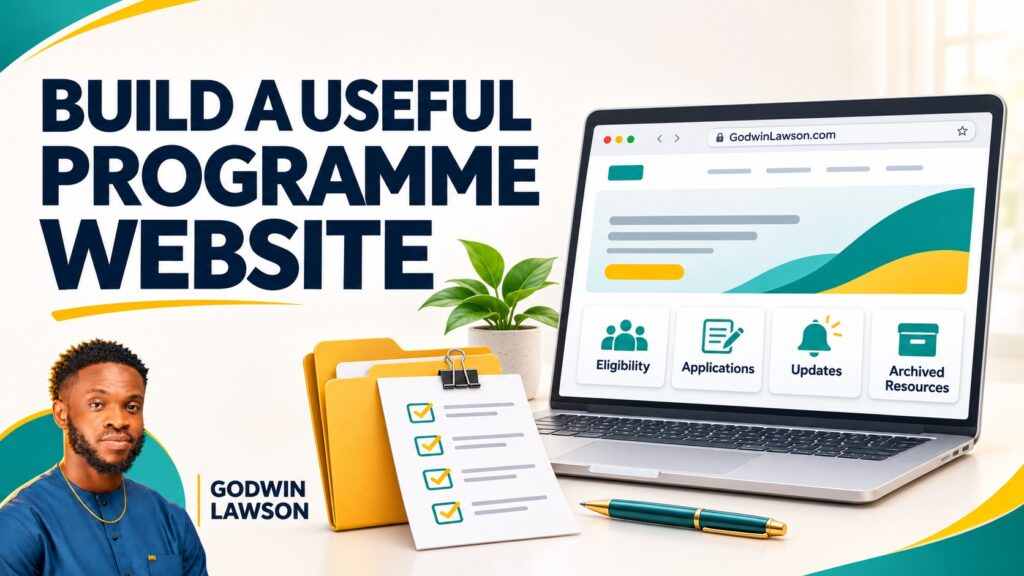
A government or NGO programme website should explain the programme’s purpose, who it serves, how people can participate, where to find current information and how to contact the responsible team. Its features should follow those tasks and the programme’s actual operating process.
A short event may need a focused information website. A long-running initiative may need application handling, participant communication and a maintained record of activities. Those are different scopes, and the project brief should make the distinction clear.
My experience includes the website work for ARISE Youth Skills Week in Akwa Ibom State. This guide draws on that documented project and sets out a practical planning approach for ministries, foundations, NGOs and programme teams.
Begin with the audiences and the actions they need
List the people the website must serve. Applicants may need eligibility and deadlines. Partners may need programme information and a named contact. Journalists may need approved background material. Participants may need schedules, venue instructions or updates.
Define the most important action for each audience before writing the page list. A single prominent “Register” button is not enough if the visitor cannot work out which opportunity applies to them.
| Audience | Useful information | Possible next step |
|---|---|---|
| Prospective applicants | Purpose, eligibility, selection process and deadline | Review requirements and use the correct application route |
| Confirmed participants | Schedule, location, preparation and current notices | Find instructions or contact participant support |
| Partners | Programme scope, role descriptions and collaboration contact | Discuss an appropriate contribution |
| Media | Approved background, announcements and permitted assets | Request information from the authorised contact |
| Public and stakeholders | Verified activity records and available reports | Understand what happened and inspect supporting material |
1. A clear programme overview
Explain the programme in plain language: its name, organising institution, purpose, audience, location or delivery mode and relevant dates. Tell readers whether the programme is planned, accepting applications, underway or completed.
Separate ambitions from completed work. “The programme aims to equip participants” describes an objective. A statement that participants acquired a particular skill requires suitable evidence and a clear definition.
Where the programme has several activities, provide a concise overview and useful destinations for the parts that need more detail.
2. Accurate organiser and partner information
Identify the responsible organisation and describe partner roles carefully. A sponsor, implementation partner, venue provider and collaborator may contribute in different ways. Use approved names and logos with a clear process for changes.
Make it possible for a visitor to recognise the official information source. Keep contact details, programme identity and announcements consistent with the organising institution’s approved communications.
A website provider should describe their own contribution accurately too. Website development is distinct from organising the entire programme or delivering every participant outcome.
3. Eligibility and participation requirements
For each opportunity, explain who can apply and what they need to prepare. Include relevant location, age, experience or other programme requirements only when confirmed by the organiser.
- Who the opportunity is intended for.
- Application opening and closing dates, with the relevant time zone where necessary.
- Documents or information required.
- Costs, funding or participation terms confirmed by the organiser.
- Selection and notification arrangements.
- A support route for questions about participation.
Do not rely on a poster image as the only explanation. Present important requirements as readable text and make any downloadable document easy to identify.
4. An application route that matches the real process
Decide whether the website will host applications, link to another approved platform or provide instructions for a separate process. Describe that route honestly in the project scope.
A link to an application form is useful, but it is different from building an application management system. If the work includes accounts, document uploads, review queues or selection notifications, define those requirements separately.
Test the route with authorised test information before launch. Check where a submission goes and what the applicant sees afterwards. Receipt of an application should not be presented as selection or admission.
A project example: ARISE Youth Skills Week
My ARISE Youth Skills Week website case study describes bringing programme information, activities, participation links, partner visibility and media destinations together. The work demonstrates an approach to organising public programme information.
The relevant lesson is to connect the overview with the appropriate action for each visitor. My contribution described in that case study is the website project; programme delivery and participant outcomes belong to the organising institutions and their partners.
5. Schedules, locations and practical instructions
Make dates, venues and session information easy to find. For programmes with several tracks, explain which activities are open to everyone and which require confirmation or separate registration.
Publish practical information participants need: arrival instructions, required preparation, delivery mode and the route for reporting a problem. Where times or locations change, update the main information source and explain the change clearly.
Assign responsibility for the schedule. An attractive programme page can become misleading if nobody owns its updates.
6. Useful mobile access and readable content
Review the website on the devices participants are likely to use. Keep navigation straightforward, ensure text is readable and make forms understandable. Provide text alternatives for meaningful images and captions or transcripts for important media where appropriate.
Let users understand file types and sizes before downloading large documents. Important participation instructions should not require downloading a large presentation when a short web page would do.
These are practical starting points. Where a formal accessibility standard is part of the brief, name the required standard and arrange appropriate review rather than assuming a responsive layout proves compliance.
7. A deliberate approach to participant information
Define what information the programme needs and who should access it. The public website and private application records serve different purposes. Avoid exposing submitted documents or applicant details through public galleries or downloads.
Agree how forms, records and third-party platforms will be managed with the organisation’s responsible team. A technology provider can implement agreed requirements, while the programme owner remains responsible for approving its information handling process.
For a system collecting more than a simple enquiry, include suitable specialist review in the scope when required.
8. News, photographs and video with context
Use updates to explain current activity and what happens next. Label media with relevant dates and event context. Confirm publication permissions for identifiable participants and assets before use.
A gallery can document an activity. It does not independently demonstrate training completion, employment or long-term impact. Where the programme publishes outcome claims, identify the evidence, reporting period and method behind them.
For recurring events, organise media and reports by edition or date so that older material remains useful without being confused with the current programme.
9. Clear contact and support responsibilities
Distinguish applicant support, partnership enquiries and media requests where the team can manage separate routes. Give visitors a sensible alternative if a contact channel becomes unavailable.
Keep response expectations realistic. An automated confirmation should tell people what was received and where to look for the next update. It should not promise a selection result that the programme has not decided.
10. A plan for the website after the programme
Decide how registration closes, how outdated instructions are marked and which reports or resources remain available. Preserve useful URLs where possible and clearly identify the completed edition.
Agree who pays for renewals, manages updates, retains access and handles technical support. A website that becomes abandoned immediately after an event can leave applicants and stakeholders relying on obsolete information.
What should the first phase include?
Prioritise an accurate overview, essential participation information, working application or enquiry routes, practical instructions and an update process. Add more complex systems when the programme can define and support their workflows.
My government and NGO programme services and website development services cover different parts of that work. Where a private workflow is needed, we can separately assess the portal or web application scope.
Explore my selected projects for the context of individual engagements, or begin with a project planning consultation.
Frequently asked questions
Does every programme need a custom application portal?
No. Some need a reliable information website linked to an approved application platform. A custom portal should follow an agreed operational need.
Can the programme website remain useful after the event?
Yes. It can retain approved reports, media and resources, with old participation instructions clearly marked as closed or historical.
Should programme impact figures appear on the homepage?
They can, when verified, defined and appropriately sourced. Distinguish intended reach, registrations, attendance and demonstrated outcomes.
Discuss your website with me
I am Lawson Godwin Hezekiah, founder of Mita School and Techmita. Tell me what your organisation needs to improve, who the website serves and what visitors should be able to do. We can agree the scope, priorities and next steps.
- WhatsApp: Send me a message on WhatsApp.
- Contact form: Send a project enquiry through my contact page.
- Email: [email protected].
- Phone: +234 703 799 7791.
Based in Uyo, Akwa Ibom State, Nigeria. Remote project arrangements can be discussed.




